

172.16.1.1 – Complete Guide to This Private Router IP Address
If you ever opened your computer or phone settings and saw 172.16.1.1 listed as the default gateway 172.16.1.1, or someone told you to type 172.16.1.1 into your browser, you are looking at a very common private router address.
172.16.1.1 belongs to the official private IP address range defined by the Internet authorities (IANA). This special range runs from 172.16.0.0 all the way to 172.31.255.255 and is saved only for local networks inside homes, offices, schools, and labs. That means millions of routers around the world can safely use 172.16.1.1 at the same time without any conflict on the public Internet.
You can prove it right now:
- Check the live demo → IP2Location 172.16.1.1 lookup
- See the details here → Router-Network.com 172.16.1.1 page
- Another confirmation → IPaddress.my 172.16.1.1 result
All three show the same thing: Private network – Reserved – No public location.
Who Uses 172.16.1.1 as Their Router Address?
Many companies and situations choose 172.16.1.1 instead of the more common 192.168.1.1:
- Corporate and school networks (they like the bigger 172.16.x.x subnet for more devices)
- Some Cisco, Juniper, and MikroTik routers in small offices
- Industrial and lab networks
- Many fiber-optic ONT boxes from ISPs in Asia, Africa, and South America
- Virtual machines and Docker setups where people avoid the usual 192.168 range
- Networking students practicing subnetting (the 172.16 range teaches the /12 block perfectly)
How to Access the 172.16.1.1 Admin Page – Step by Step
Follow these easy steps to reach your 172.16.1.1 login page:
- Connect to the correct network (Wi-Fi or cable that uses this router).
- Open any web browser (Chrome, Edge, Firefox, Safari).
- Type exactly http://172.16.1.1 (no “www”, no https unless the router forces it).
- Press Enter.
- You will see the 172.16.1.1 admin page asking for username and password.
Most common default logins for 172.16.1.1 routers (2025 list):
- Username: admin | Password: admin
- Username: admin | Password: password
- Username: root | Password: root
- Username: user | Password: user
- Some ISP routers use the word written on the sticker (check the bottom of your router).
Change the password the moment you get in!
Why 172.16.1.1 Is Not Working – Every Fix You Need
| Problem You See | What It Means | Quick Fix |
| “This site can’t be reached” | You are on the wrong network | Connect to the exact Wi-Fi that uses 172.16 range |
| “172.16.1.1 refused to connect” | Router is off or IP changed | Restart the router or check your own IP (ipconfig / ifconfig) |
| Page loads but login fails | Wrong 172.16.1.1 default password | Try the list above or look on the router sticker |
| Takes forever to load | Firewall or antivirus blocking | Temporarily disable Windows Defender or any third-party firewall |
| Redirects to search engine | You typed it in the search bar instead of address bar | Paste directly into the address bar at the top |
Understanding the 172.16.1.1 Network Configuration and Subnet
The address 172.16.1.1 usually sits on a subnet that looks like this:
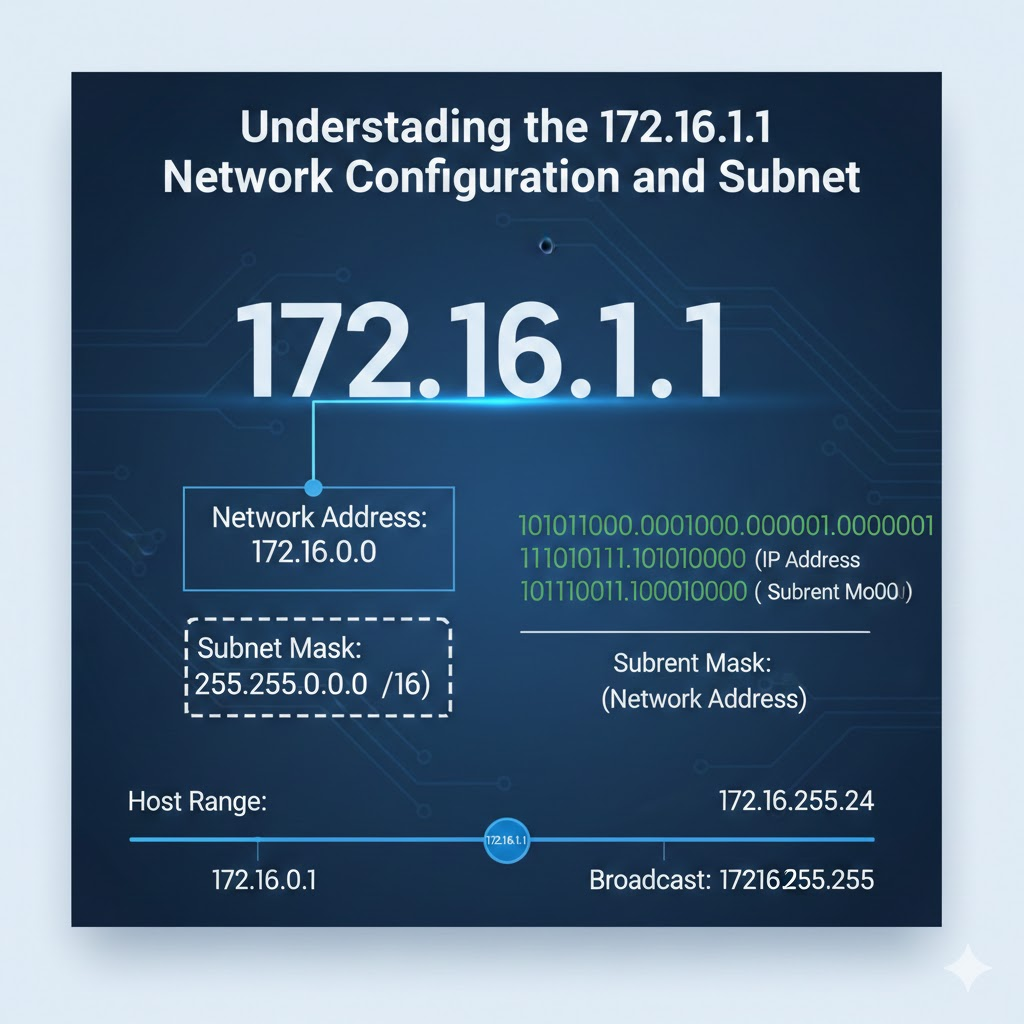
- Network: 172.16.1.0
- Subnet mask: 255.255.255.0 (or /24)
- Available IPs: 172.16.1.2 to 172.16.1.254
- Default gateway 172.16.1.1 = the router itself
This setup gives you 254 usable addresses — perfect for small offices or homes with many smart devices.
172.16.1.1 vs 192.168.1.1 – Quick comparison:
| Feature | 172.16.1.1 Range | 192.168.x.x Range |
| Total possible networks | 16 full Class B blocks | 256 small networks |
| Typical users | Offices, schools, labs | Home routers (TP-Link, Asus, etc.) |
| Why people choose it | Avoid conflict with home defaults | Most consumer routers use it |
Common Things People Do at 172.16.1.1
Once you are inside the 172.16.1.1 router login page, you can:
- Change Wi-Fi name and password (172.16.1.1 wifi setup)
- Set up guest networks
- Open ports for games or cameras
- Block websites or devices
- Update the router firmware
- Reboot the router remotely
Security Tips Every 172.16.1.1 User Must Follow in 2025
- Change the default login immediately.
- Use a strong Wi-Fi password (at least 12 characters, numbers + letters + symbols).
- Disable remote management (so no one outside your house can reach 172.16.1.11).
- Turn on WPA3 encryption if your router supports it.
- Keep firmware updated — new security patches come out monthly.
Bonus Guides for Similar Private IPs
- Seeing a different strange IP? → 185.63.263.20 – Easy Guide to This IP in Your Logs
- Another invalid address? → 264.68.111.161 – Understanding This Invalid IP Address
FAQs About 172.16.1.1
What is 172.16.1.1 exactly?
172.16.1.1 is a private IP address that many routers use as their default gateway. It is the main door to your router’s settings page where you change Wi-Fi password, name, and more.
Why can’t I open 172.16.1.1 from my phone when I’m on mobile data?
Because 172.16.1.1 is private and only works inside your own home or office network. Mobile data is outside your network, so it’s blocked on purpose for security.
Is 172.16.1.1 the same as 192.168.1.1?
A: They do the same job, but they are different private ranges. 172.16.1.1 vs 192.168.1.1 – offices and schools often pick 172.16 because it gives more addresses; most home routers use 192.168.
What is the default username and password for 172.16.1.1?
The most common 172.16.1.1 default password combinations in 2025 are:
- admin / admin
- admin / password
- root / root
- Or check the sticker on your router – many ISPs print it there.
172.16.1.1 is not working / page won’t load – what do I do?
Try these fixes in order:
- Connect to the correct Wi-Fi
- Restart router
- Type http://172.16.1.1 (not https)
- Use a different browser or incognito mode
- Temporarily disable antivirus/firewall
How do I find out if my router really uses 172.16.1.1?
- Windows: Open Command Prompt → type ipconfig → look for “Default Gateway”
- Mac: System Settings → Network → Wi-Fi → Details → Router
- Android/iPhone: Settings → Wi-Fi → tap your network → look for “Gateway” or “Router”
Can someone hack me through 172.16.1.1?
A: Only if they are already connected to your Wi-Fi. Never open 172.16.1.1 to the Internet (keep “Remote Management” turned OFF).
Conclusion – Everything You Need to Know About 172.16.1.1
172.16.1.1 is a perfectly normal and safe private IP address range used as the default gateway 172.16.1.1 on thousands of routers worldwide. It lets you open the 172.16.1.1 admin page to manage your network configuration, change Wi-Fi settings, and keep your local network running smoothly. Because it is private, no one on the public Internet can ever reach it — that’s exactly how it is supposed to work2.
You now have every step to log in, every common 172.16.1.1 default password, every fix when 172.16.1.1 not working, and every security tip you need.
What router brand or ISP gave you the 172.16.1.1 address? Tell me in the comments (Huawei, ZTE, Cisco, fiber box, school network?) and I’ll give you the exact login details in seconds!
